
How to use Cash App 2026 to send, receive, and withdraw money
Cash App has become one of the most widely used financial tools in the United States for sending, receiving, storing, and moving money via mobile phone.
For those seeking convenience, the platform can help with transfers between friends, everyday payments, direct deposits, debit card use, and balance management in an experience similar to a digital account.
Even though it’s simple to use, the app requires attention. Incorrect transfers, instant withdrawals with fees, using a credit card for payment, and having a business profile can all incur costs.
What is Cash App and how will it work in 2026?
Cash App is a financial services platform from Block, Inc., primarily used for peer-to-peer transfers, debit card payments, direct deposit, savings, investments, and other available features subject to eligibility.
In practice, the user can send money using available balance, a linked bank account, or a debit card. It is also possible to receive funds directly into the app balance and keep that money for future payments, purchases with a Cash App Card, or transfer to an external account.
For those researching cash apps, cash book apps, or ez return, it’s important to clarify the intentions. A cash app is not just a “cash book” or a tax return tool, even though it has products related to finance.
Main features of the Cash App for everyday use.
The most common use of Cash App involves quick transactions between acquaintances. Even so, the app includes features that can directly impact your budget, expense control, and money security.
- Sending money to contacts: users can send money to another person using their phone number, email, or $cashtag, the public identifier used within the platform.
- Receiving payments in your balance: amounts sent to you are credited to your Cash App balance, even without a linked bank account, according to the platform’s support.
- Transferring money to a bank: standard withdrawals to a linked account are usually free and can take 1 to 3 business days.
- Use instant withdrawal: immediate transfer may incur a fee, displayed before confirmation.
- Paying with a Cash App debit card: those who have a Cash App Card can use their balance for purchases, respecting limits and rules.
- Receive transaction alerts: real-time notifications help track inflows, outflows, and potential suspicious activity.
- Using a business profile: Cashapp Business is geared towards small businesses, freelancers, and entrepreneurs, but it does have fees for receiving payments.
These features can simplify your routine, as long as the user keeps track of fees, limits, and the purpose of each transaction. A financial app does not replace financial education, reading contracts, or careful analysis before moving larger amounts of money.
Sending money via Cash App: what to look out for
Sending money through the app is usually simple, but this ease can become a problem when the user confirms a payment without reviewing the recipient. The official page explains that it’s possible to send money to friends and family using email, phone, or $cashtag.
Sending money using Cash App balance, bank account, or debit card may be free. However, payments made with a credit card have a 3% fee, according to Cash App’s customer service.
Before transferring, check the name, photo, $cashtag, and amount. Unlike a loan simulation or credit card application, a transfer between users can be completed in seconds. If it goes to the wrong person, recovering the money may depend on the recipient’s cooperation.
Fees, withdrawals, and limits that deserve attention.
Most basic transactions may be free, but there are situations where the user pays a fee. These details are important for those who use Cash App as a financial planning tool.
- Sending money via balance, bank transfer, or debit: Cash App states that this type of transfer is free for personal use.
- Credit card payment: there is a 3% charge on the transaction amount, which can increase the cost of use and harm those who already pay interest on their credit card.
- Standard bank transfer: usually free, with availability within 1 to 3 business days.
- Instant withdrawal: may cost between 0.5% and 2.5%, with a minimum amount stated in the terms, and the exact amount appears before confirmation.
- Deposit of paper currency: a fee of US$1 may apply per transaction, with the possibility of exemption for qualifying purchases or qualifying deposits.
- ATM withdrawal: Cash App indicates its own fee of US$2.50, and ATMs outside the network may charge additional fees.
These costs may seem small in isolation, but they add up when used frequently. Those who withdraw cash often, use credit cards to send money, or always transfer money instantly can compromise part of their budget without realizing it.
Cash App personal or cash app business: which to choose?
The personal profile is geared towards transfers between friends, family, and everyday use. The Cashapp Business, on the other hand, was created for small vendors, service providers, and entrepreneurs who receive payments from clients.
The main difference lies in the purpose and fees. For business, Cash App charges 2.6% + US$0.15 on payments received from customers through Cash App and 3% for certain card payments.
If you use the app to split lunch, pay a family member, or receive an occasional transfer, a personal profile tends to make more sense. If you receive payments for sales, services, deliveries, or small jobs, separating business transactions can help with tax organization.
Step-by-step guide to sending, receiving, and withdrawing money in the Cash App.
To use the app safely, start by visiting the official Cash App website or official app stores. The company’s website presents the sending and receiving service, explains recipient identification methods, and displays integrated security alerts.
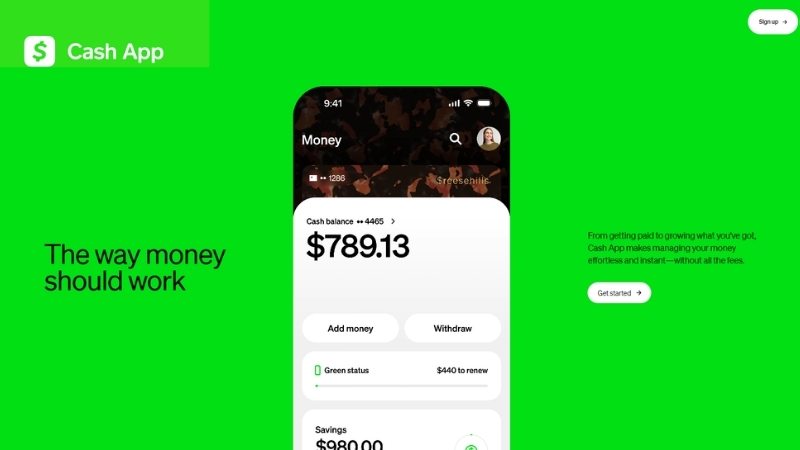
- Download the app from a trusted source or visit the website: cash.app
- Create your account with real information: use your phone number, email, and other correct details, as limits and features may depend on verification.
- Link a payment method: connect a debit card, bank transfer, or keep a balance in the app as needed.
- To send money: tap the payment area, enter the amount, choose the contact by phone, email or $cashtag and review everything before confirming.
- To receive payments: share your $cashtag, phone number, or email address with the payer, always verifying that they are using the correct profile.
- To withdraw to a bank: choose the option to transfer to a linked account and compare the standard free processing time with paid instant withdrawals.
- To use the card: activate the Cash App Card, monitor notifications, and block the card through the app if you notice any suspicious activity.
- To avoid costs: prefer using your balance, bank transfer, or debit card whenever possible, avoid credit cards for sending money, and check fees before finalizing your purchase.
This process seems intuitive, but reviewing before the final click is essential. In digital money, convenience and speed go hand in hand; therefore, a minute of verification can prevent financial loss.
Security: scams, gambling, and easy promises
Cash App states that it uses encryption, fraud detection technology, real-time alerts, card blocking, and security locks to protect the account. However, no tool eliminates all risks when a user sends money to strangers or shares access codes.
Be wary of promises of quick returns, fake sweepstakes, “support” asking for codes, profiles promising to double your balance, and apps that mix gambling with payment. Terms related to apps for earning money through games can attract risky pages.
It’s also worth distinguishing between Cash App and traditional credit. Resources such as Borrow, Afterpay, or similar financial products may involve eligibility, analysis, timeframes, and costs. Before contracting any solution, read the terms and conditions, understand interest rates, fees, and the impact on your financial profile.
How to use Cash App without messing up your budget.
Cash App can be useful for quick transfers, small sales, direct deposits, and everyday expenses, but it needs to fit into an organized financial routine. Ideally, you should define what the app will be used for: personal payments, service receipts, temporary savings, or card purchases.
Avoid leaving large amounts of money idle without understanding the protection applicable to your account. The company itself states that Cash App is not an FDIC-insured bank, and balance coverage depends on specific terms and products.
Ultimately, the best way to use Cash App in 2026 is to combine convenience with control. Review fees, monitor notifications, keep your password and PIN protected, be wary of easy promises, and don’t turn a digital wallet into a substitute for financial planning.
Deixe um comentário