
QR Code and Barcode Reader: Complete Step-by-Step Guide
Digital transformation has accelerated how we interact with products, services, and information in our daily lives. In the United States, the use of QR codes and barcodes is no longer restricted to retail and has become integrated into restaurants, hospitals, industries, warehouses, and even educational environments. Having a QR code reader on your cell phone has become a practical and strategic necessity.
Today, any smartphone can function as a true portable barcode scanner for inventory , allowing you to scan products, access digital menus, validate medications, and manage stock with just a few taps on the screen. Technology has evolved to the point of replacing physical equipment in many situations, offering mobility and efficiency.
If you want to understand how to install, configure, and use a QR code and barcode reader app safely and efficiently, this complete guide will clarify each step. Throughout the content, you will see how to choose the best app and apply it in different everyday contexts.
Check out the 5 best QR code reader apps.
The American market offers a variety of QR code and barcode reader apps. Some are geared towards personal use, while others cater to professional needs, such as inventory control and medical product validation. Below, discover five reliable and widely used apps.
Another strong point is the simplicity of the interface. The application doesn’t overwhelm the user with unnecessary features, maintaining a focus on efficiency. It also stores a scan history, allowing users to revisit previously read links. For those seeking practicality and stability without complex management functions, it’s one of the most balanced options .
It is widely used by small merchants and entrepreneurs who need a solution similar to a barcode scanner for inventory management , but without investing in dedicated physical equipment. While it doesn’t replace robust corporate systems, it offers sufficient support for basic product control, price checking , and code validation in smaller operations.
ShopSavvy is widely used in the United States as a strategic price comparison tool. By scanning a product’s barcode in a physical store, the app displays prices charged by different retailers, both online and in-store.
This feature is especially useful for consumers who want to save money and verify if they are making a good purchase. The app also allows you to set up price drop alerts, which expands its usefulness beyond simply reading codes.
Its fast and stable reading capability makes it useful not only for personal use, but also as support in operations that require greater reliability. In smaller industrial environments, it can function as a support similar to a basic manufacturing barcode scanner , assisting in the identification of parts, packaging , and products on less complex production lines.
In American supermarkets, it is frequently used for quick information retrieval before purchase. In small businesses, it can also act as a portable barcode scanner for inventory , assisting in simplified product control without the need for dedicated equipment .
Choosing the ideal application depends on your needs. For everyday use, simple options are sufficient. However, for professional contexts, it’s worth prioritizing more robust applications that are compatible with multiple code formats.
First steps: installing and configuring the app on your phone.
Installing a QR code or barcode reader seems simple, but the initial setup is what determines whether the application will work quickly, stably, and securely. Many users in the United States use their cell phones as a substitute for a portable barcode scanner for inventory , but ignore essential adjustments that directly impact the accuracy and performance of the reading.
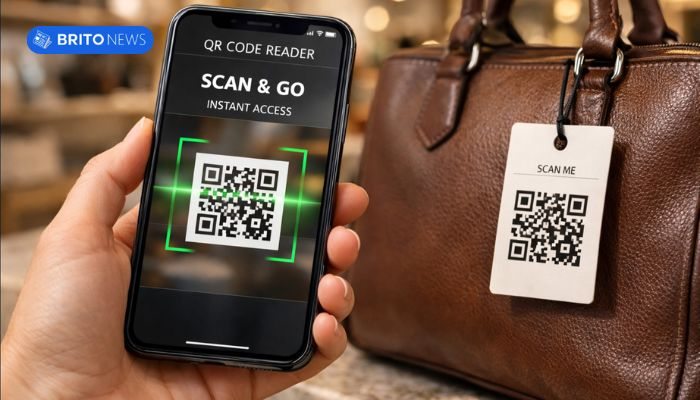
Proper setup involves not only downloading the app, but also validating permissions, optimizing the camera, and enabling features that improve scanning performance in different environments, such as supermarkets, warehouses, or restaurants.
Complete step-by-step guide for efficient installation and configuration.
- Choose an app with a high reputation and frequent updates.
Check recent reviews, download volume, and update history. Abandoned apps tend to have compatibility issues. - Install only from the official store (Play Store or App Store).
This reduces the risk of malware or fake apps that mimic readers. - Grant full camera permission
. Without full camera access, the app will not be able to focus correctly on the code. - Activate autofocus and continuous reading mode.
Some applications offer automatic reading without the need for manual touch, ideal for those who need to operate it as a barcode scanner for inventory management . - Enable scan history.
This function allows you to review previously scanned codes, useful for inventory control or product verification. - Configure security notifications and alerts.
Some apps warn you about suspicious links, protecting you against malicious QR codes. - Test in different lighting conditions.
Low-light environments require flash activation. Make sure the app has this function built-in. - Check compatibility with multiple code formats.
In addition to QR Code, confirm support for EAN, UPC, Code 128, and other standards used in the American market.
Proper setup transforms your cell phone into a professional scanning tool. Adjusting correctly from the start prevents errors, increases reading speed, and ensures greater safety in daily use.
What is the best free QR code?
The definition of “best” depends on the purpose. For personal and everyday use, lightweight and free apps like QR Code Reader by Scan are perfectly adequate.
If the goal involves inventory control or product validation, applications that function as barcode scanners for inventory management offer additional features, such as reading history and data export.
For more technical environments, such as industry, solutions similar to a manufacturing barcode scanner are recommended, especially when continuous reading and high precision are required.
How to use a healthcare barcode scanner for product and medication control?
In the healthcare sector, accuracy in barcode reading is critical. Applications that function as healthcare barcode scanners are used to track medications, verify expiration dates, identify batches, and reduce human error in hospitals, clinics, and pharmacies.
In the United States, drug traceability is an essential part of safety standards. An incorrect scan can compromise internal processes and create inconsistencies in hospital inventory control.
Detailed step-by-step instructions for safe and efficient use.
- Install an app compatible with reading pharmaceutical codes (NDC and GS1).
Not all common readers recognize specific healthcare standards. - Ensure adequate lighting and a stable surface.
Accurate reading depends on the camera’s sharpness and proper focus. - Activate continuous scanning mode for multiple items.
Essential in hospital pharmacies where sequential scanning is performed. - Point the camera maintaining the ideal distance (10 to 20 cm).
An inadequate distance may lead to misinterpretation of the code. - Manually confirm the information displayed on the screen.
Validate the product name, batch number, and expiration date. - Integrate the data into the internal system (when possible).
Some applications allow exporting to CSV, which is useful for administrative control. - Record historical data for internal audits.
Maintaining traceability is essential for security and regulatory compliance. - Perform periodic app update checks.
Updates fix read errors and improve compatibility.
Properly using an application like a healthcare barcode scanner is not just a matter of convenience, but also of safety. When configured and operated correctly, the mobile phone becomes a reliable tool for monitoring and tracking medications.
How do I use a QR code scanner for menus to access digital menus?
In the United States, restaurants have widely adopted the use of QR code scanners for menus to replace physical menus. The process is simple and fast.
Simply open the reader app, point the camera at the QR code on the table, and wait for automatic redirection to the digital menu. In a few seconds, the customer can view options, prices, and descriptions directly in their browser.
This model offers advantages such as instant item updates, reduced printing costs, and greater convenience for the consumer.
What are the main questions about QR code and barcode reader apps?
Despite their growing popularity, many users still have questions about how these apps work, their security, and their limitations. Below, we’ve compiled frequently asked questions with objective, technical answers.
Clarifying the main doubts step by step.
- Are apps really safe?
Yes, as long as they are downloaded from official stores and kept updated. Avoid apps with few reviews or excessive permissions. - Is internet required for scanning?
The code is read offline. However, redirects to websites require an active connection. - Can you replace professional physical readers?
For home use and small businesses, yes. In large industrial operations, dedicated equipment can offer greater robustness, such as a specialized manufacturing barrel scanner . - Does it work for business inventory control?
In small businesses, yes. Many use their cell phones as portable barcode scanners for inventory , reducing costs associated with dedicated equipment. - Does it consume a lot of battery?
Continuous use of the camera increases consumption, but with moderate use the impact is low. - Is there a risk in scanning unknown QR codes?
Yes. QR codes can redirect to malicious websites. Use apps with security alerts enabled. - Are all codes compatible?
Not always. Check if the application supports multiple standards (EAN, UPC, Code 39, Code 128, QR, Data Matrix). - Can it be used in restaurants as a QR code scanner for menus?
Yes, it’s one of the most common apps currently in the United States.
QR code and barcode reader apps are safe and efficient tools when used correctly. With proper installation, attention to permissions, and choosing reliable apps, your cell phone can perform functions that previously required specific equipment, bringing savings and convenience to everyday life.
Deixe um comentário